What a website maintenance plan includes for UK SMEs

A website maintenance plan is ongoing care for a live website: keeping it updated, backed up, online, reasonably secure and free of obvious errors. It is not a redesign, and it is not the same as general IT support for staff computers and email. This guide sets out what UK SMEs should typically expect from website maintenance services, what is usually charged as extra, and how to tell a useful plan from a vague retainer.
Swift Digital IT Support is a UK IT support firm that also provides website support and maintenance through "an in-house website maintenance, support and development team". The rest of this guide is general advice you can use whoever looks after your site.
What website maintenance services should a plan include?
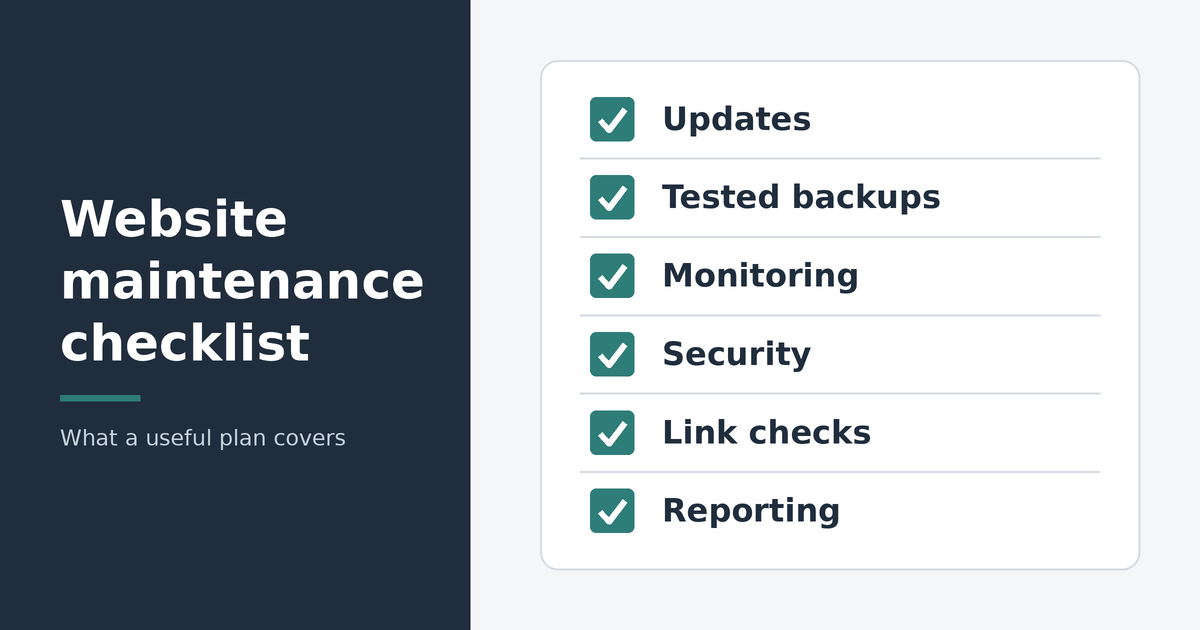
A useful plan covers six things: software updates, website backups that have been tested, monitoring for when the site goes down, security and login control, checks for broken links and errors, and a simple report with a named contact. If a plan cannot tell you who does each of these, it is not really a plan.
Updates, patches and CMS changes
Most business websites run on a content management system (CMS), often with plugins, themes or custom code. Each of these receives updates, and many of those updates fix security flaws. A maintenance plan should make someone responsible for applying them, checking the site still works afterwards, and rolling back if an update breaks something.
On busier or more complex sites, ask whether updates are tried on a copy of the site first, sometimes called a staging site, before they reach the live version. Ask, too, what happens when an old plugin or theme is no longer supported by its developer. Replacing it is often the safest option, and that work may fall outside the plan.
The UK National Cyber Security Centre (NCSC) advises small organisations to keep devices, software and apps up to date in its guidance on protecting your devices. The same principle applies to the software behind your website.
Being able to log in and edit a page is not the same thing. Plenty of SMEs can change their own text and images but have never applied a core update. Many plans also include a set amount of time for small content or design changes; check what is included and how unused time is treated.
Website backups and restore tests
A website backup should capture everything needed to bring the site back: the files and, if the site uses one, the database. Ask where backups are stored, how long they are kept, and when a restore was last tested. A backup that has never been restored is an assumption, not a safety net.
The NCSC's guidance on backing up your data lists your website among the data a business needs to operate, and stresses knowing how to restore a backup and checking it contains your important data.
Website backups are a separate job from backing up office files, email and line-of-business systems. For that wider picture, see our article on data backup.
Uptime monitoring and what happens when the site is down
Monitoring means something checks your site regularly and raises an alert when it stops responding. The useful questions are practical. Who receives the alert? How will you be told? What counts as "back online", and who decides whether a problem is the hosting, the code or the domain?
Monitoring should also cover the quieter ways a site fails. A TLS certificate that expires, or a domain name that is not renewed, can take a site offline just as effectively as a server fault. Make sure someone tracks renewal dates and that the contact details on the domain account still reach a current member of staff.
Agree these points in writing. Avoid assuming a particular level of cover: support hours, response targets and out-of-hours arrangements vary between suppliers, so read the agreement rather than the headline.
Security, TLS and admin-account hygiene
Website security in a maintenance plan is mostly about the basics done consistently:
- keeping the TLS certificate valid, so the site loads over HTTPS without browser warnings
- applying software patches promptly (see updates above)
- removing old or shared admin accounts from the CMS and hosting control panel
- using unique passwords and 2-step verification, or passkeys where available, on every login that controls the site
- knowing who holds the domain registrar, DNS and hosting accounts
The NCSC's guidance on how to secure your important online accounts explicitly includes "your company website (and domain hosting if that is a separate account)". If your website collects enquiries or customer details, the ICO's information security guidance for small organisations is a sensible UK starting point. This is general information, not legal advice.
Malware on staff computers is a different problem, handled by anti-virus solutions rather than by website maintenance, although a compromised PC can expose website logins.
Broken links, errors and basic technical checks
A maintenance plan should include regular checks for broken links, error pages and obvious HTTPS problems. These matter for visitors first: a broken contact page loses enquiries. They also matter for search engines. Google's guidance on how HTTP status codes affect its crawlers explains that it does not use content from URLs returning 4xx errors, and that persistent 5xx server errors can eventually lead to pages being dropped from the index.
This is basic technical hygiene. It is not the same as an SEO campaign, and no maintenance plan can promise higher rankings.
Reporting and a named point of contact
You should receive a short, regular report covering updates applied, backups taken, any incidents and outstanding work. Just as importantly, you should know who to call. A named contact who understands your site is worth more than a long list of features.
What is usually not included in a website maintenance plan?
A typical plan does not include a redesign, a new website or app, large new features, or copywriting and marketing campaigns, unless the agreement says so. Those are separate projects, usually quoted separately.
The dividing line is simple: maintenance keeps the site you have working well; a rebuild replaces it. If your site needs constant workarounds, cannot be updated safely, or no longer reflects the business, that is a conversation about a new site rather than about maintenance. Swift's own website support page notes that the company also designs and builds websites and applications, and links to its separate design and development site.
Watch for vague wording such as "general support" or "as required". Ask what happens when a request falls outside the plan: is it refused, quoted, or deducted from included time?
How is website maintenance different from hosting, support and a rebuild?
Hosting is where the site lives. Maintenance is the ongoing work to keep the live site updated, backed up and healthy. "Website support" is often used to mean the same thing as maintenance, so check the contract rather than the label. A rebuild is a separate project.
Suppliers package these differently. Some sell hosting, maintenance and support as one service; Swift's own page, for example, presents website hosting, maintenance and support together. Others sell each separately, and some hosting includes no maintenance at all. When comparing website maintenance and support offers, line them up item by item against the inclusions above rather than comparing package names.
General IT support is different again. It covers staff devices, email, networks and day-to-day user problems, which is the territory of IT support services. Cloud and email projects sit outside website work too; our Microsoft 365 migration checklist for UK SMEs covers that kind of move.
How often should updates and backups happen?
Security updates should be applied promptly once they are released and tested. Backups should be frequent enough that you could restore whatever the business cannot afford to lose, and they should be tested.
There is no single schedule that suits every site. A brochure site that changes a few times a year has different needs from an online shop taking orders daily. Ask your supplier to state the update and backup schedule in writing, how long backups are retained, and how restores are tested. For how Swift describes its own hosting and backup approach, see its website support and maintenance page.
Do you still need a maintenance plan if you can edit the site yourself?
Yes, unless someone else is clearly responsible for updates, backups, hosting, security and recovery. CMS access lets you change content; it does not make anyone accountable when an update fails, a certificate expires or the site is compromised.
If you prefer to handle maintenance in-house, write down who owns each task in the inclusions list and when it is done. A simple in-house record might cover:
- who applies CMS, plugin and theme updates, and how often they check
- where backups are kept, and when a restore was last tested
- who receives alerts if the site goes down
- when the TLS certificate and domain name are due for renewal
- who holds each admin, hosting and registrar login
Review the record whenever someone joins or leaves. If nobody owns a task, it will eventually be missed. A website maintenance agency or your existing IT provider can take on the tasks you would rather not hold.
Frequently asked questions
What is included in a website maintenance plan?
Typically: software updates, tested website backups, availability monitoring, security and login control, broken-link and error checks, and regular reporting with a named contact. For how Swift describes its own service, see its website support and maintenance page.
What is the difference between website maintenance and website support?
The terms are often used interchangeably, so read the agreement. Hosting, maintenance and support may be bundled into one service, as on Swift's service page, or sold separately.
How much does website maintenance cost?
It depends on the size of the site, how often it changes, and the level of backup and support you need. Swift publishes current guideline examples on its website support and maintenance page.
Is website maintenance the same as SEO?
No. A good plan includes basic technical hygiene, such as fixing broken links, errors and HTTPS problems. That helps visitors and search engines, but it is not a promise of higher rankings.
Who should hold the domain name and hosting logins?
The business should keep ownership of its domain and know who holds the registrar, hosting and CMS logins. The NCSC treats your company website and domain hosting as important accounts that need strong sign-in protection.
How is a website backup different from backing up office files and email?
A website backup restores the public site and its database, if it has one. Office files, email and other business data need their own backup. See our article on data backup for that wider picture.
If you would like a second opinion on what your current plan covers, talk to Swift about website support.
SHARE THIS BLOG ARTICLE
Blog article information
Blog article date:
24 th
Nov 2026
Posted by Simon
Tags Website Maintenance, Website Support, Website Hosting, Web Security, IT Support
Related service pages
Please use the following links to go directly to our services pages that relate to this blog article.
Back to Blogs